Chrome extension · Free · No ads

Turn any tab up to 600%

A real limiter keeps loud clean instead of crackly. A 10-band equalizer, effects and per-tab volume: all processed on your device, nothing ever uploaded.

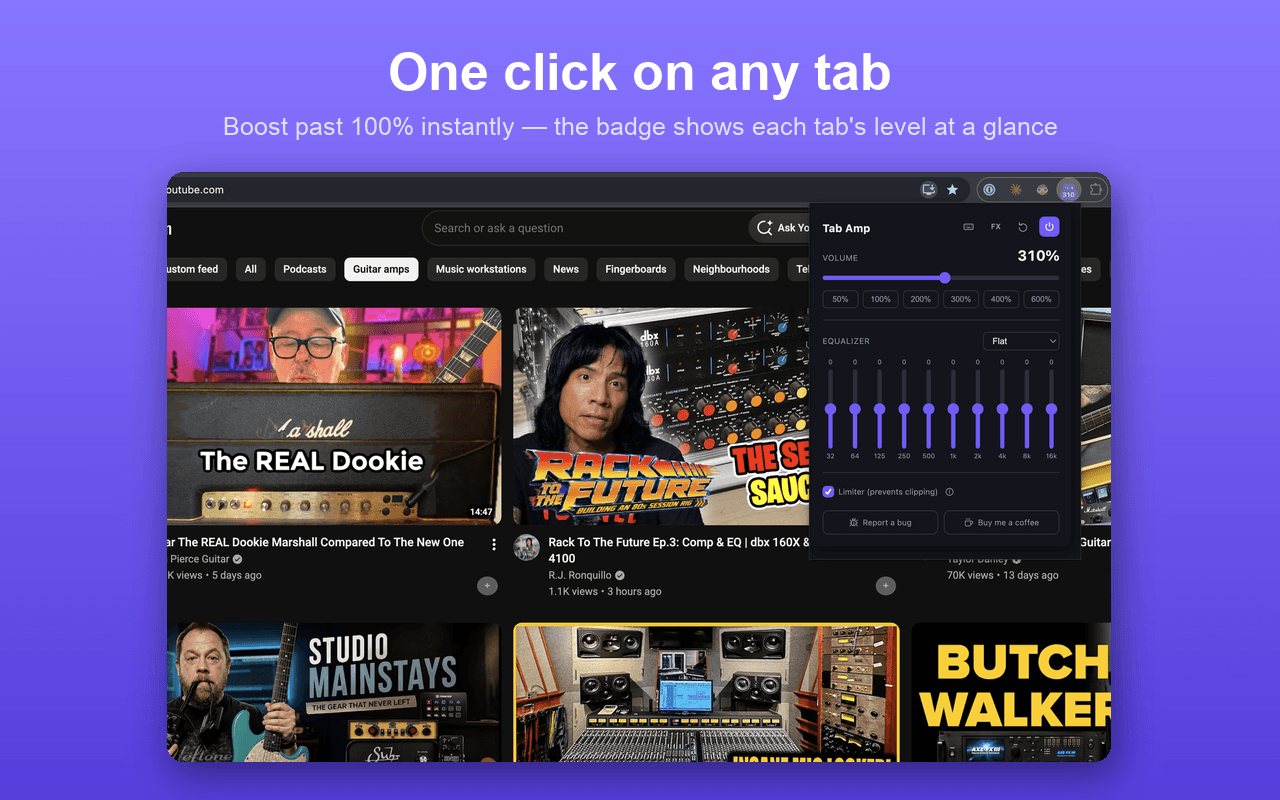
Tab Amp popup boosting a YouTube tab to 310% volume
Audio never leaves your deviceNo account, no adsMade by Toybox LabsHow it compares to Volume Master & Volume Booster

Everything you need to fix a bad mix

One popup, per tab. No settings menu to dig through: the controls you'd actually reach for are right there.

Up to 600% volume
Chrome caps normal tabs at 100%. Tab Amp rebuilds the audio path so you can push well past that.
A real limiter
A dynamics limiter catches peaks before they clip, so loud stays clean instead of crackling.
Every tab, its own volume
Boost a quiet podcast to 400% while a video in another tab stays at 100%. Settings are per tab.
10-band equalizer
32Hz to 16kHz, plus one-click presets, so you can cut rumble or carve out vocals without guesswork.
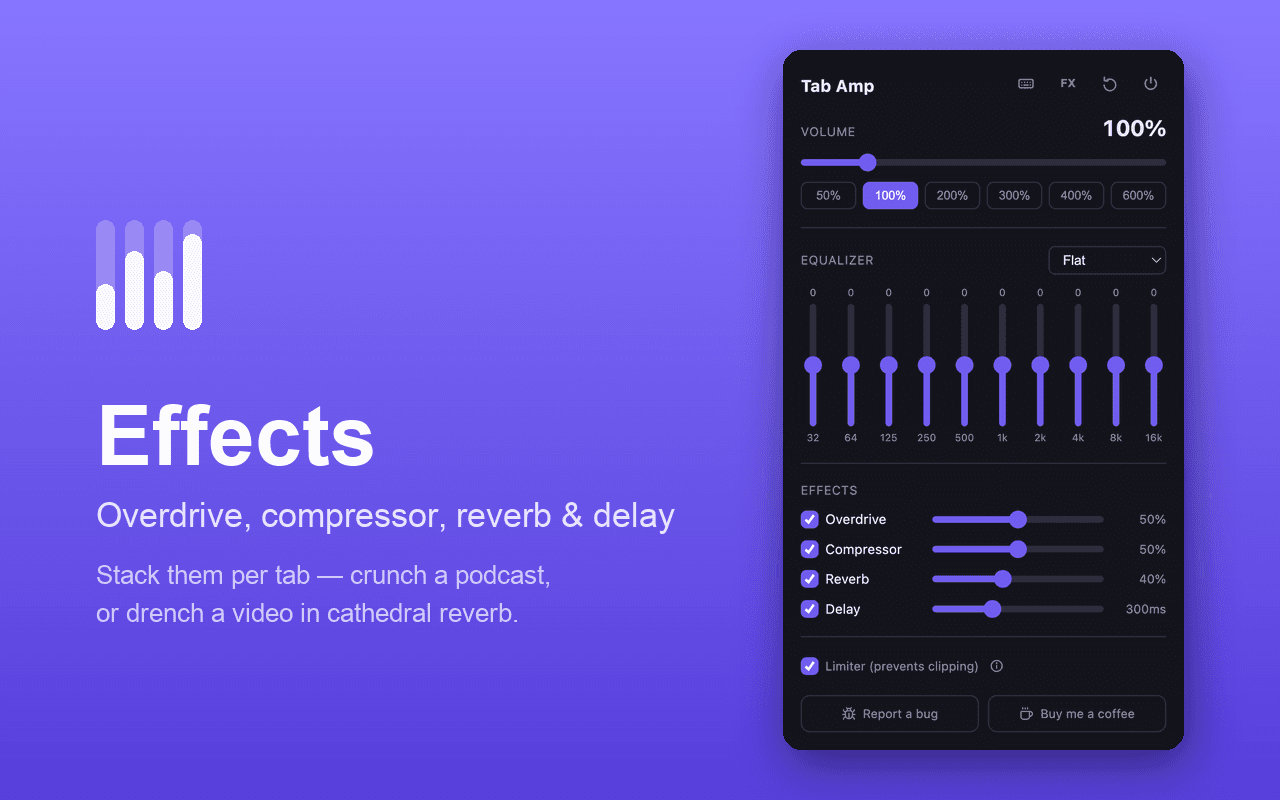
Effects
Overdrive, compressor, reverb and delay: stack them per tab for anything from a crunchier podcast to cathedral reverb on a video.
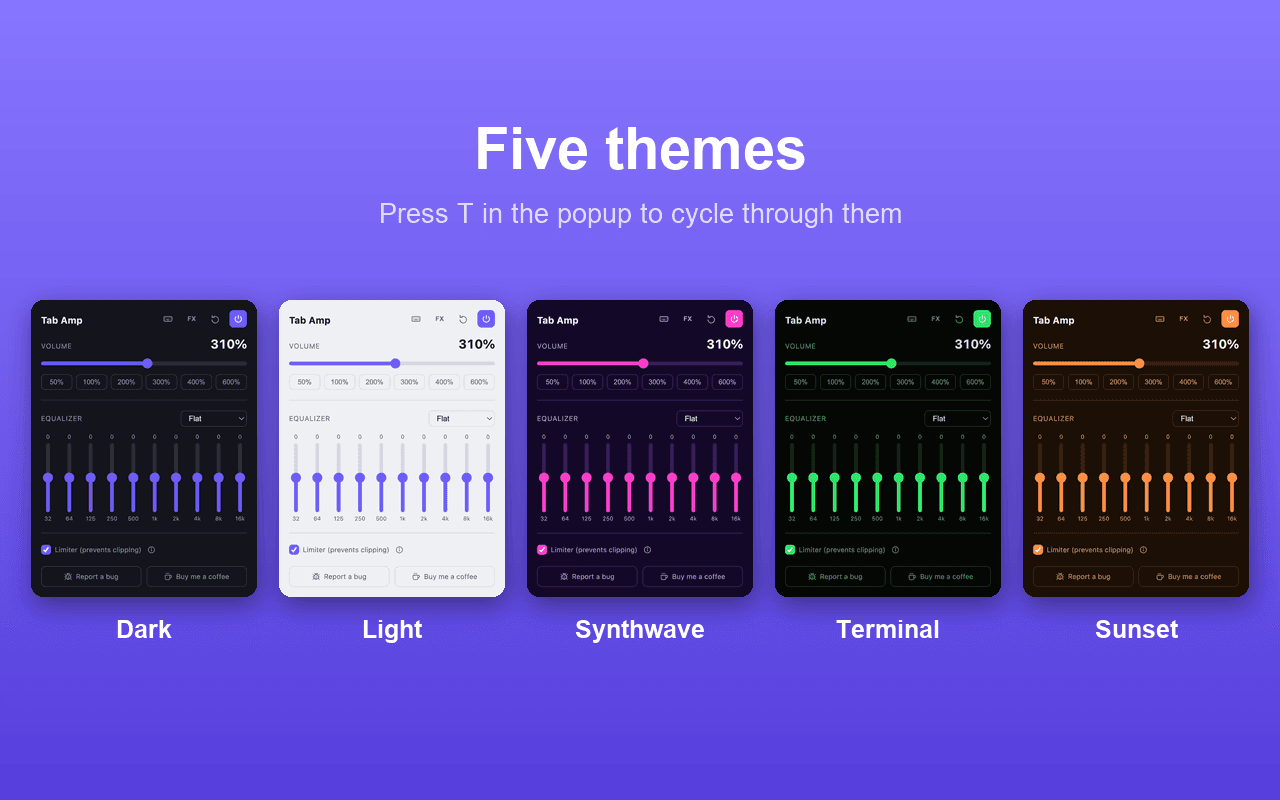
Five themes
Dark, Light, Synthwave, Terminal and Sunset. Press T in the popup to cycle through them.

Stack effects, or just crank the volume

Overdrive, compressor, reverb and delay live behind the FX button. Mix and match per tab, or ignore them entirely and just use the slider.

Tab Amp effects panel with overdrive, compressor, reverb and delay
Overdrive, compressor, reverb & delay: stackable per tab
Tab Amp shown in five themes: Dark, Light, Synthwave, Terminal, Sunset
Five themes: press T in the popup

Frequently asked

Does Tab Amp record or upload my audio?
No. Audio is captured and processed entirely in memory on your device, then played straight back out. It is never recorded, saved, analyzed or sent anywhere. See the full privacy policy for specifics.
Why does Chrome show a blue recording indicator when I use it?
Boosting a tab past 100% requires capturing its audio stream, and Chrome shows that indicator on any extension that captures tab audio. That's a built-in browser safety signal, not something Tab Amp adds. It disappears as soon as you release the tab.
What's the limiter for?
Pushing audio past 100% risks clipping: that harsh, crackly distortion on loud peaks. The limiter is a dynamics compressor that catches those peaks before they clip, so a 400% boost still sounds clean. You can turn it off if you want raw gain instead.
Is it free?
Completely free, no ads, no account, no trial that expires. There's an optional "buy me a coffee" link in the popup if you want to support it.
Which sites does it work on?
Any tab playing audio: YouTube, Spotify Web Player, podcasts, video calls, whatever. It can't capture chrome:// pages, the Chrome Web Store or DevTools; that's a Chrome platform restriction on every audio extension, not specific to Tab Amp.
How is Tab Amp different from Volume Master or Volume Booster?
It adds overdrive, compressor, reverb and delay on top of the volume boost, has five color themes, and ships as plain, unminified source you can read yourself. See the full feature-by-feature comparison.
Free, and it stays that way

No account, no trial, no ads. Install it and it just works.

Add to Chrome